READING & WRITING
I had no idea how similar animation is to video production. That might sound silly, but the planning process is almost identical. Storytelling is an art and developing a good, compelling, narrative – that makes sense to an audience – takes a lot of work. In this week’s readings, in ICM 504, Liz Blazer’s Animated Storytelling highlights the planning and storyboarding processes for making an animation.
In Chapter 2, Blazer focuses on the story-building process by breaking down the three-act story structure. In these types of stories, 1. The main character has a problem, 2. The character works towards a solution, and 3. The character solves the problem in a surprising way. In my opinion, Act 3 of this timeline requires the most attention because by this point, it’s important to make sure the theme, or the deeper message, has been established and revealed.
Within this basic structure, your story can go a variety of different directions. For example, the puzzle structure keeps your audience in the dark about certain information and then those “secrets” are revealed piece by piece.
So how do you start a story? It’s simple! Grab a journal and start jotting things down. Once a week, go through the journal and circle anything that catches your eye. Blazer also recommends using cue cards to plan the narrative. She suggests writing down and sketching about 15-30 moments in the animation and then presenting them in chronological order.
In Chapter 3, Blazer dives into the nuances of creating the narrative. She says that stories must travel along a timeline where conflict triggers action. If your story arc is too flat, then adjust! And of course, if a story is overly complicated, it might be worth revisiting some of the details to see if you need to include more information earlier on in the piece.
So what if you want to break out of the traditional storytelling structure? That’s experimental form – a non-linear way of storytelling! There are a number of ways to do this, including using music as a driving force behind the piece, kind of like Disney’s Fantasia.
Finally, Chapter 4 gets to the storyboarding part of this process. This is an opportunity to start working through visual elements of your production. There’s no need to get fancy in this step! Thumbnailing, or drawing basic figures, helps establish composition, framing, staging, and transitions – which are all key elements to storytelling. The first version of the rarely the last; revisions are key to creating a polished product.
RESEARCH TO INFORM
After reading about the process of creating motion graphics, it was time to find some inspiration! Let’s check out some of the examples that I found exciting.
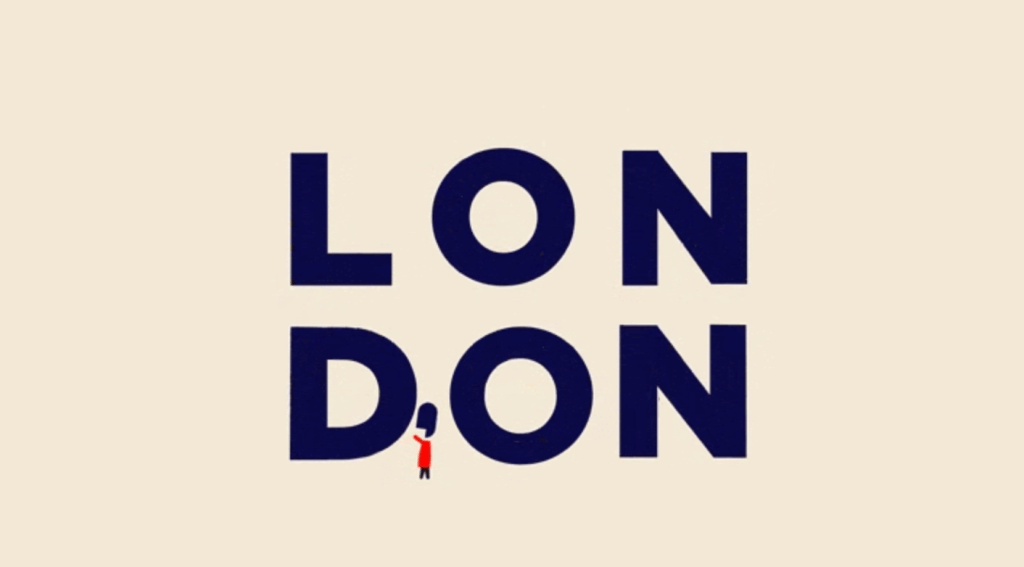
I love to travel, so when I saw this motion graphic I knew I had to include it in this write-up. It is simple and short but complicated at the same time. I love how it uses text to illustrate London’s most iconic landmarks (click the image to see it animate).
This one also caught my attention because of its simplicity. I like that it is set on a black background — so that once it transforms — you are not distracted by anything else in the image. The movement is very much in line with how ivy grows which also adds to the authentic look and feel of this graphic.

Although I love the first two examples, I really wanted to see motion graphics used for business. For instance, how do companies use this technique to promote their products? Enter IKEA. I found this short video online that uses motion graphics to highlight the different ways that the furniture company can contribute to a space and the versatility of its furniture.
CREATE
I am fascinated by animation. It amazes me that something that appears so simple can take so long to create. My introduction video is a perfect example. This took me days to produce and it’s only a minute long!
To make this I started with a wood panel background that I found online. I then grabbed a photo of myself and created a white solid in After Effects to give it the polaroid look. I also used pre-comp to combine the two elements to make animating a little easier! Once I established that first polaroid, I played with the transform tab and keyframes to get the photo to its starting and ending places. I also added an easy ease out effect, under Keyframe Assistant, to make it slow down a little at the end of its animation.
Then I brought in the iPad. I thought having visuals in the iPad could be a fun way to mix up the different elements that I introduced throughout this piece. I added a little text to the iPad and used the typewriter effect to make it look like someone is typing. I also did a deep dive through my childhood video camera footage to find the clip of myself as a kid. I used the rounded corners rectangle tool to create a mask, so that the images and video fit neatly into the iPad.
After that, everything else was simple. Animating the elements on and off the wood panels was pretty straight-forward and in some cases (i.e. the cut-out of Connecticut) I just used key framing to create the rotation.
Originally, when I started editing I wanted to create a map that showed a dotted line going from each place where I have lived, and then had photos pop up from it. That was WAY harder than I anticipated. After spending hours running into roadblocks, I decided to abandon that technique for now, but I am excited to try it again because it involved adding a second camera angle to my animation.
As for the audio, I probably should have edited it in Premiere Pro, because key framing and adjusting levels in After Effects was a little challenging.
WORKS CITED
Blazer, L. (2020). Animated storytelling: Simple steps for creating Animation & Motion Graphics. Peachpit Press.

